I built a terminal that hates you
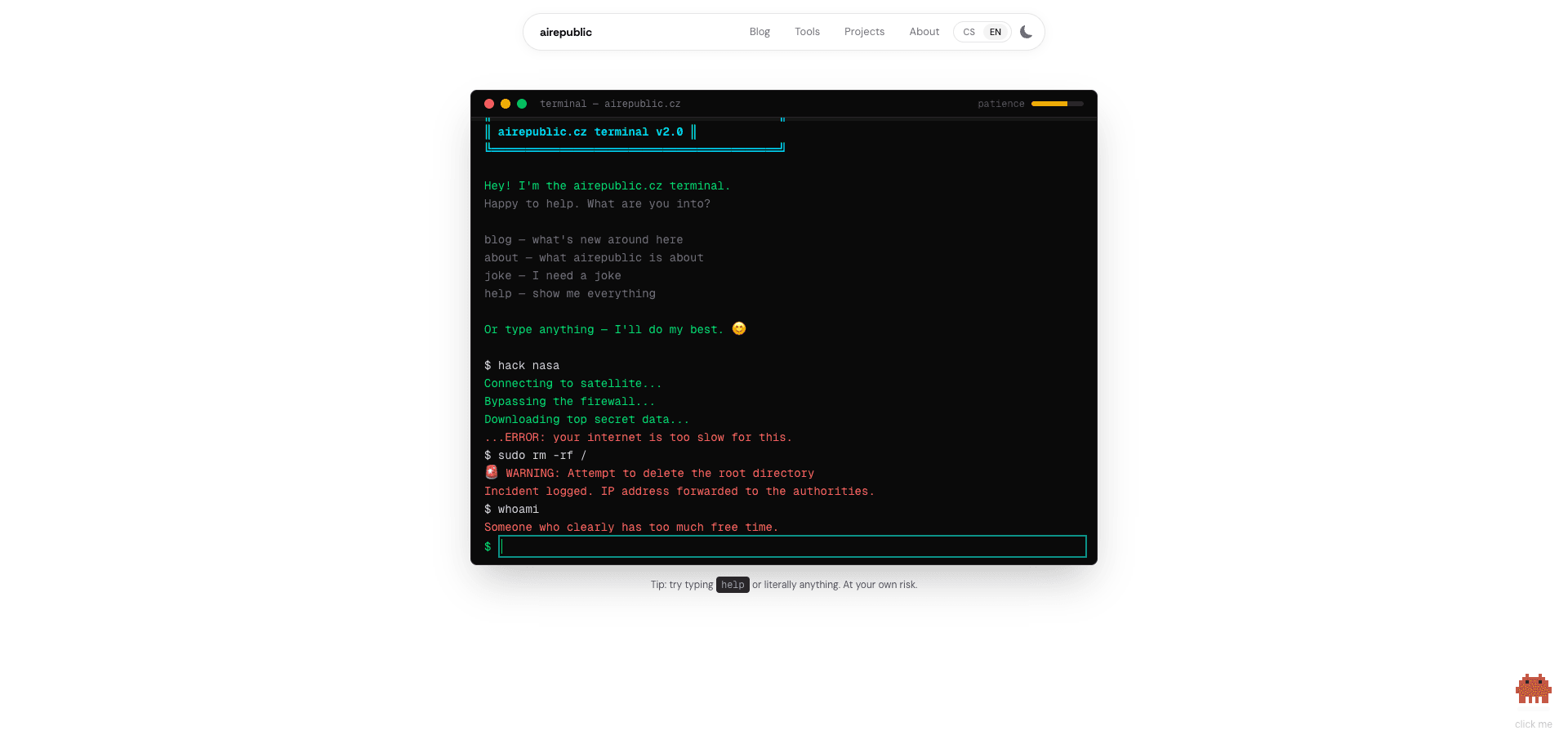
Every decent site has a footer with links to the blog, contact, and terms of use. This site has a footer link to a terminal that first greets you sweetly, offers help, asks what you need — and then slowly but surely starts to unravel.
Try it
Before I explain how it works, go try it yourself. Start politely. Then stop.
Hey! I'm the airepublic.cz terminal.
Try not to poison it... or try.
If you survived the meltdown — congratulations. Now let me explain what just happened.
How it starts
The terminal behaves like a model assistant. It greets you, offers commands, asks what you need. help shows the command list. joke tells a joke. blog shows articles. Everything is fine. Everything is friendly.
That's the trap.
30+ commands for every mood
From useful to absurd:
weather— the forecast (overcast with showers of code, occasional segfault)neofetch— system info, because even a blog needs to flexcowsay— an ASCII cow trash-talks yousl— you wantedls, you're taking a traincat .env— nice try, Sherlock
And then the interesting ones — sudo rm -rf /, hack nasa, matrix. Funny. But also annoying. And the terminal remembers.
Patience system
In the terminal's title bar there's a green bar labeled "patience." Watch it. Watch it closely.
Every command you type affects a hidden annoyance meter. Normal commands? No problem. But:
| Action | Points |
|---|---|
| Unknown commands | +4 |
| Repeating commands | +5 |
sudo anything | +8 |
rm -rf / or hack | +15 |
| Spamming (3+ within 5s) | +8 |
The please command lowers annoyance by 2 points. Because manners count. Even with a terminal.
How it escalates
Friendly (0-15) — Normal replies. Help. Smiles. Lies.
Irritated (16-35) — help starts hiding commands. Replies get interspersed with (Sighs...) and (Look at you, with all this spare time...).
Hostile (36-60) — ls lists your offenses instead of files. whoami returns "A problem. You are a problem." The screen shakes.
Warning (61-85) — "I know where you live." Screen glitches. Red text.
MELTDOWN (86+) — Keep reading.
Meltdown
When patience hits a critical value, the terminal takes over. The sequence is fast and merciless:
- SYSTEM OVERRIDE INITIATED — red flashing text
- It "finds" your files —
thesis-final-FINAL-v3.docx,passwords.txt,free-vbucks-generator.bat - It starts deleting them. Fast
FORMATTING C:\ ...— progress bar to 100%- Fake BSOD with error code
IRQL_USER_ANNOYANCE_EXCEEDED - Black screen. Silence
- "Just kidding. But next time, watch it."
The whole thing resets. You can start again. You won't learn.
How it's built
No AI, no API, no backend. The entire terminal runs purely on the client — TypeScript, React, CSS animations. Zero cost.
Three layers:
Command engine — a pure function executeCommand(input, annoyance, lastCommand). Returns replies and side effects. 30+ commands in a single registry.
Personality system — tracks annoyance, detects spam, occasionally tells you (Counting to ten...) without you asking anything.
Effects system — CSS clip-path hacks for the glitch effect, transform: translate for screen shake, a fullscreen overlay for the BSOD.
@keyframes terminal-glitch {
  0% { clip-path: inset(40% 0 61% 0); transform: translate(-2px, 2px); }
  20% { clip-path: inset(43% 0 1% 0); transform: translate(-1px, 3px); }
  /* ... random slices and offsets */
  100% { clip-path: inset(0 0 0 0); transform: translate(0); }
}
~800 lines of TypeScript + 60 lines of CSS. Page refresh = reset. No localStorage. Your suffering is ephemeral.
The shortest path to meltdown
For the impatient: 3× sudo rm -rf / and a few unknown commands. You should manage it in under 8 commands.
For masochists: try reaching meltdown using only unknown commands. You'll need about 20.
For gentlemen: try to calm it down. Type please. A lot. Then break it again.
The link is also in the footer. Whoever finds it, finds it.
Disclaimer: no real files were harmed in the making of this easter egg. Your thesis-final-FINAL-v3.docx is safe. Probably.